BallotBud
Helping first-time voters navigate elections with confidence
ROLE
SKILLS
TIMELINE
TEAM

Overview
How might we provide clear, nonpartisan election information to help first-time voters feel informed and confident?
As a team of 7, we reimagined the election preparation experience within 10 weeks.

Problem
Young voters are motivated to participate but the voting system isn’t designed for them.
Deadlines are scattered across websites, ballot measures are written in legal jargon, and unbiased explanations are difficult to find. What should feel empowering often becomes overwhelming, leaving first-time voters underprepared when it matters most.
Solution
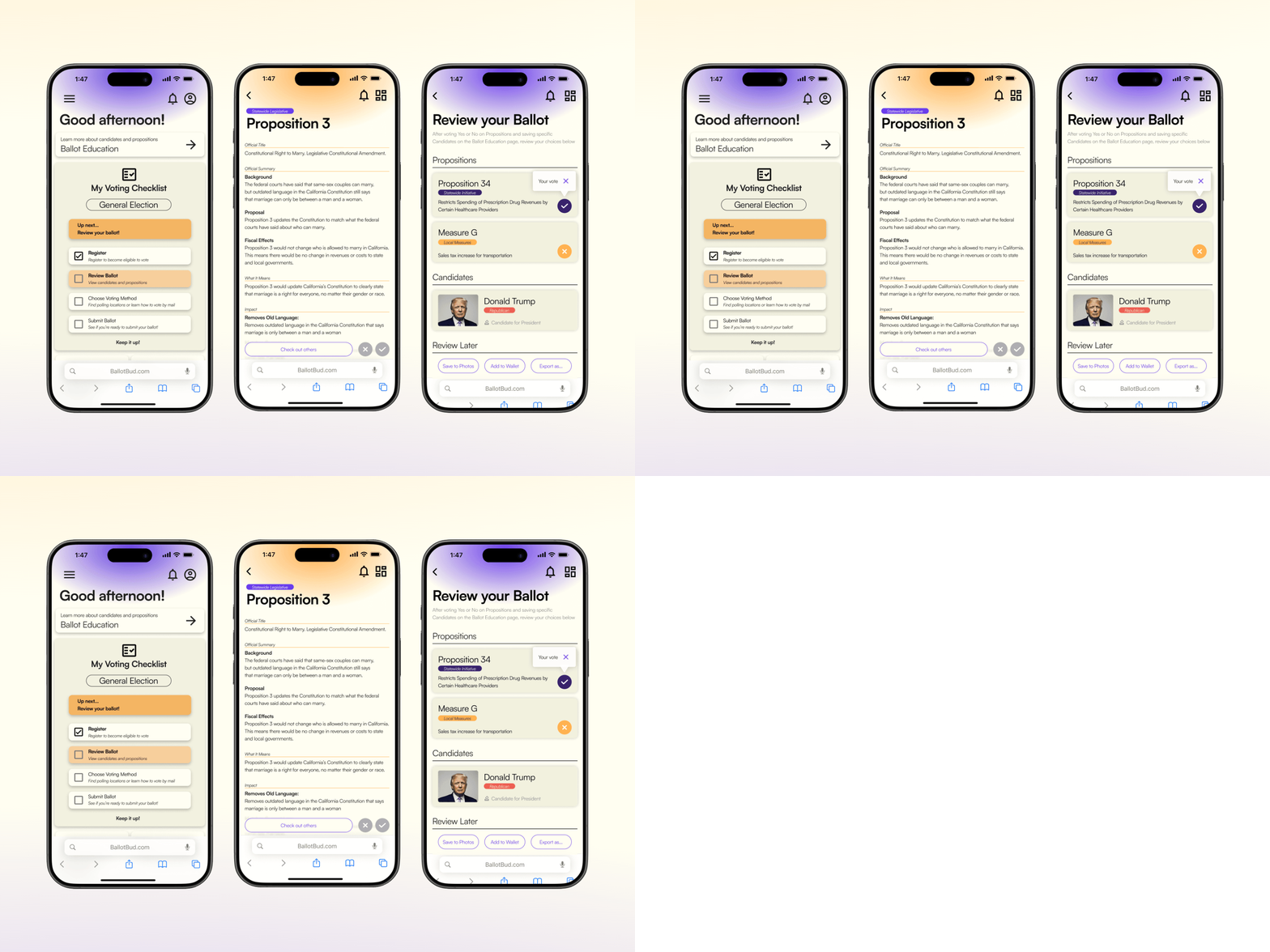
Everything you need, in one place!
BallotBud acts as a voting companion; centralizing election deadlines, personalized ballot breakdowns, and unbiased explanations into one streamlined platform.
Research
Understanding our users
We collected 55 survey responses across ages 18–65+
76.4% were between 18–24
80% were California-based
State specifc ballots proved to be complex, setting up barriers against young voter engagment.
"I wish maybe if there was a little bit more descriptions about what each thing you're voting for was about just so I could remember a little bit better." -Interviewee, 18-24
Our understanding of voters between the ages of 18 and 24 grew as we conducted interviews with them; identifying challenges with language and the overall submission workflow.
"When reading about different propositions in the ballots, I found that the language used to describe them to be difficult to understand, which made the voting process more tedious” -Participant #39, 18-24
Competitors
Analyzing our competitors
We examined six voting information platforms to help us gauge what solutions on the market are already hitting, and what still remains to be addressed.
Strengths
Location and ballot specific guidance
Trusted reputations
No biased language
Weaknesses
Information overload per page
Future elections are not easily visible
Lack of live updates on ballot tracking
Insights
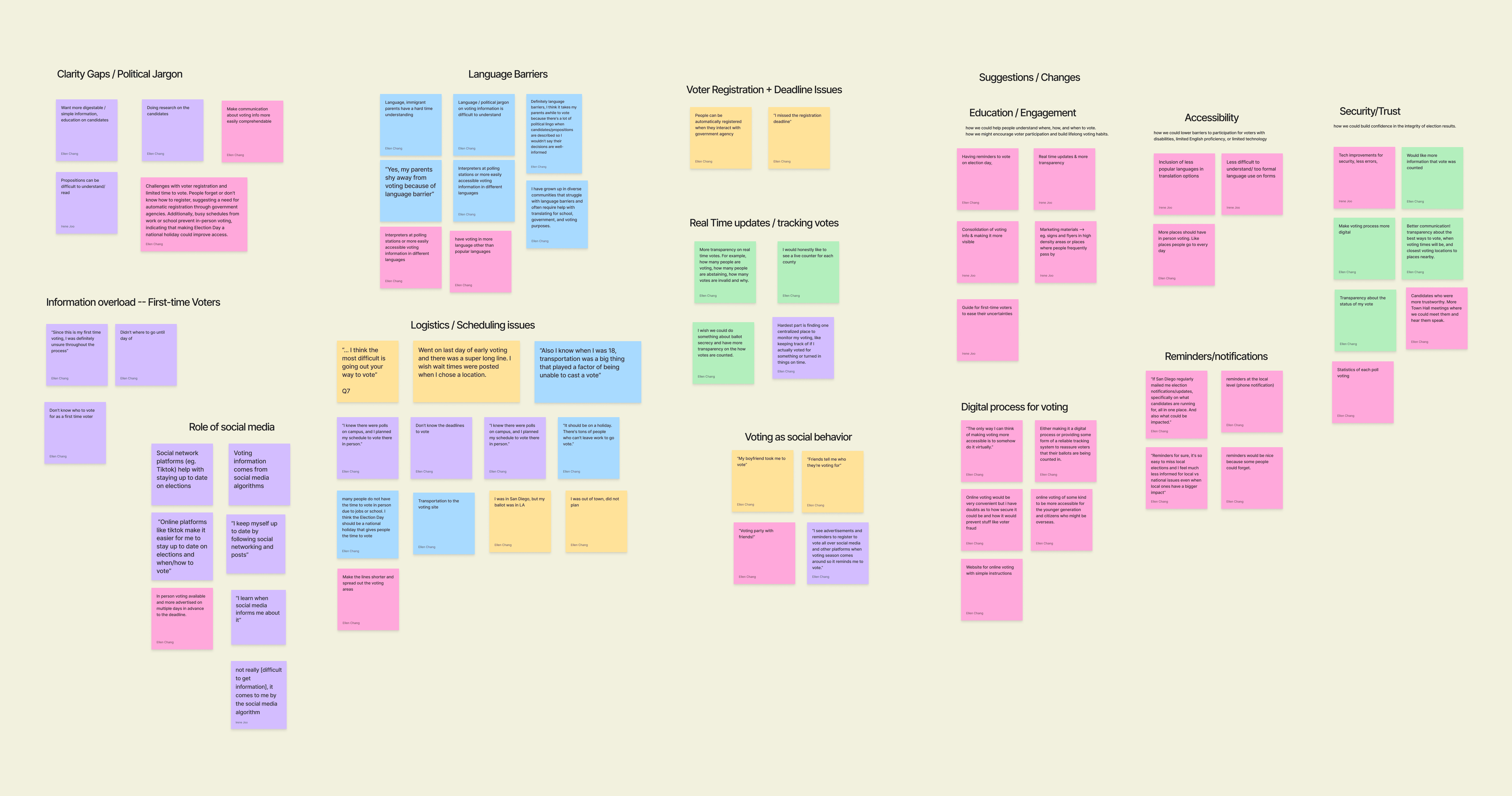
Four themes stood out from our research.
Pain points
If we identify these to be our three main issues…
Low civic literacy
Many first-time voters lack clarity around how the voting process works.
Information overload & distrust
Existing resources often feels overwhelming and biased, making it difficult for voters to trust and interpret the information.
Low engagement in local & state elections
Turnout consistently drops in non-presidential elections, partly due to lack of awareness about their impact and limited accessible resources.
Design Decisions
…what features could directly address them?
Voting checklist
Provides a breakdown of the voting process step by step.
Candidate comparisons
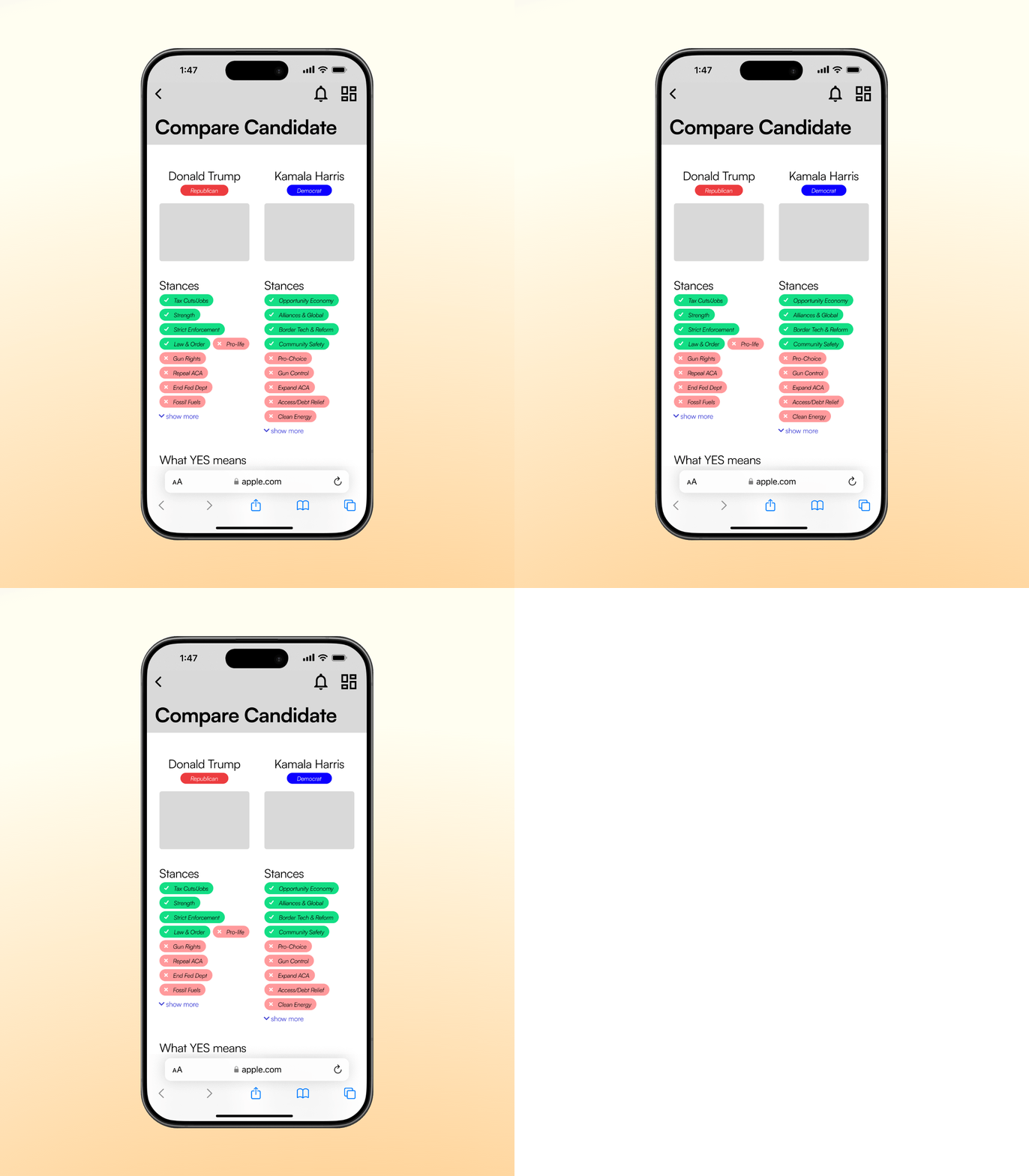
Structure key information on stances into a familar side-by-side visual to support their judgement.
Ballot previews
Users can view all upcoming elections along with their respective propositions and candidates to stay up to date.
Mid Fidelity

Checklist
Once onboarded on the site, users complete a survey to then walk through the exact steps they need to complete a vote. With a clear timeline laid out, voters can know they are on track!
Candidate Comparison
Inspired by trading cards, information can be delivered with nuance while maintaining a clean format so as to not overwhelm the user.

Ballot Review
Users will not miss an upcoming election, and can bookmark elections to guarantee it stays on their radar.
Usability Testing
Initial user thoughts
Throughout our five user testing sessions, we focused on how users navigate the web portal to see if our concepts landed as intended. Our line of questioning varied between open-ended questions to see where the users were drawn to, as well as more specific tasks to see how successfully they could interact with the unfamilar interface.
Improvements
Three resounding areas for improvement stood out
Navigation
Users found navigation difficult and confusing due to many different pages, entry points, and unclear labels
Visual cues
The color coding for candidate stances was confusing for users as it was not immediatley clear if it reflected the candidate opinion, site bias, or an indication of being addressed or not.
Credibility
While information provided about upcoming elections was useful, users thought more information is necessary with clear citations in case they wanted to delve deeper as their own discretion
High fidelity

Navigation
We moved the checklist to the dashboard and rewrote the copy of buttons to simplify reduce the amount of entry points between pages.
Visual Cues
Stances were rewritten to for clarity and the green-red color coding was removed. Users no longer need to interpret the visual cues and can focus on the facts plainly presented.

Credibility
We added more resources and explanations to the general election page to allow users to dive deeper and learn more.
What I learned
Visuals hold power
Striking a balance between a digestible visual design and an informative interface is a tough task. Color can be used sparingly while still allowing for clear, impactful spreads.
Defaults are necessary
Personalization can often come at the cost of convenience. It does not hurt to sacrifice more specialized user functions, in exchange for less user effort to reach a desired outcome.