ebtEDGE
Extending ebtEDGE to assist people without reliable transportation
ROLE
SKILLS
TIMELINE
TEAM
Overview
How do we make grocery shopping more time and cost efficient?
People without reliable transportation often struggle with making the best use of their time and benefits when going on grocery trips.

Problem
EBT users lack personal and world knowledge in order to make the most of their grocery shopping experience.
EBT users without reliable transportation face significant challenges when planning grocery trips. While ebtEDGE provides access to benefit balances and participating store locations, it does not help users answer critical questions before leaving home: Which nearby store has the items I need? How much can I afford to spend? How long will it take to get there?
As a result, many users experience a high cognitive burden when using their benefits. Uncertainty around balances, product availability, transportation options, and travel times can lead to wasted trips, increased costs, and underutilization of available benefits. We identified a need for a tool that helps users plan grocery trips in advance, enabling them to make informed decisions that save time, money, and effort.
Solution
Plan a Trip extension to guide the user.
The Plan a Trip extension is designed to make grocery shopping more accessible for EBT users by reducing transportation and budgeting barriers. By integrating item availability, store recommendations, navigation options, and balance tracking, it helps users save time, money, and effort on every trip.

Research
Understanding our users.
We conducted interviews with three EBT users that rely on public transportation and walking. Two of which tested our initial prototype as well.
"It's a two hour commitment just to get groceries, I have to plan the whole bus route before I even leave." - Participant 1
We expected that our feature to extend would be the map on the ebtEDGE app where we could add bus routes, and better store information. However, we quickly found that all our participants have never even opened the map feature. One didn't even know it existed at all.
"I just go to Target on campus because its close; not because its good. Carrying my water bottles on the bus is just too hard." - Participant 2
Competitors
Why not use Google Maps?
Our first thought was: Why don't EBT users just use Google maps? Most users made it clear they felt they were missing information and needed better commute planning. However we found that while store information and direction assistance is accessible, its missing budget and grocery list information— which ebtEDGE includes. This gap is exactly what we aim to bridge.

Strengths
Filters benefits-accepting stores
Calculates transit times
Provides general store information
Weaknesses
No balance visibility
Lacks a grocery list
Missing within store information
Insights
Four themes stood out from our research.

Pain points
If we identify these to be our three main issues…
Planning is spread across tools
Users rely on separate apps and sources— ebtEDGE for balances, Maps for navigation, and word-of-mouth for store recommendations— creating additional effort when planning a shopping trip.
Uncertainty makes trips risky
Without knowing store hours, item availability, or travel times beforehand, users risk wasting time and transportation on unsuccessful trips.
Transportation limits purchasing power
Users often buy less than their benefits allow because they can only carry what fits on a bus ride or walk home.
Design Decisions
…what features could directly address them?
Plan a Trip
Integrated transportation options with ETA and distance to combine navigation and planning into the grocery experience; eliminating the need to switch between apps.
Grocery list
An editable grocery list with real-time stock availability; allowing users to confirm that needed items are in stock before leaving home, reducing wasted trips and unexpected substitutions.
Store suggestions
Recommends nearby stores that carry the user's desired items, reducing travel burden and helping users maximize the value of each trip.
Mid Fidelity

Plan a Trip
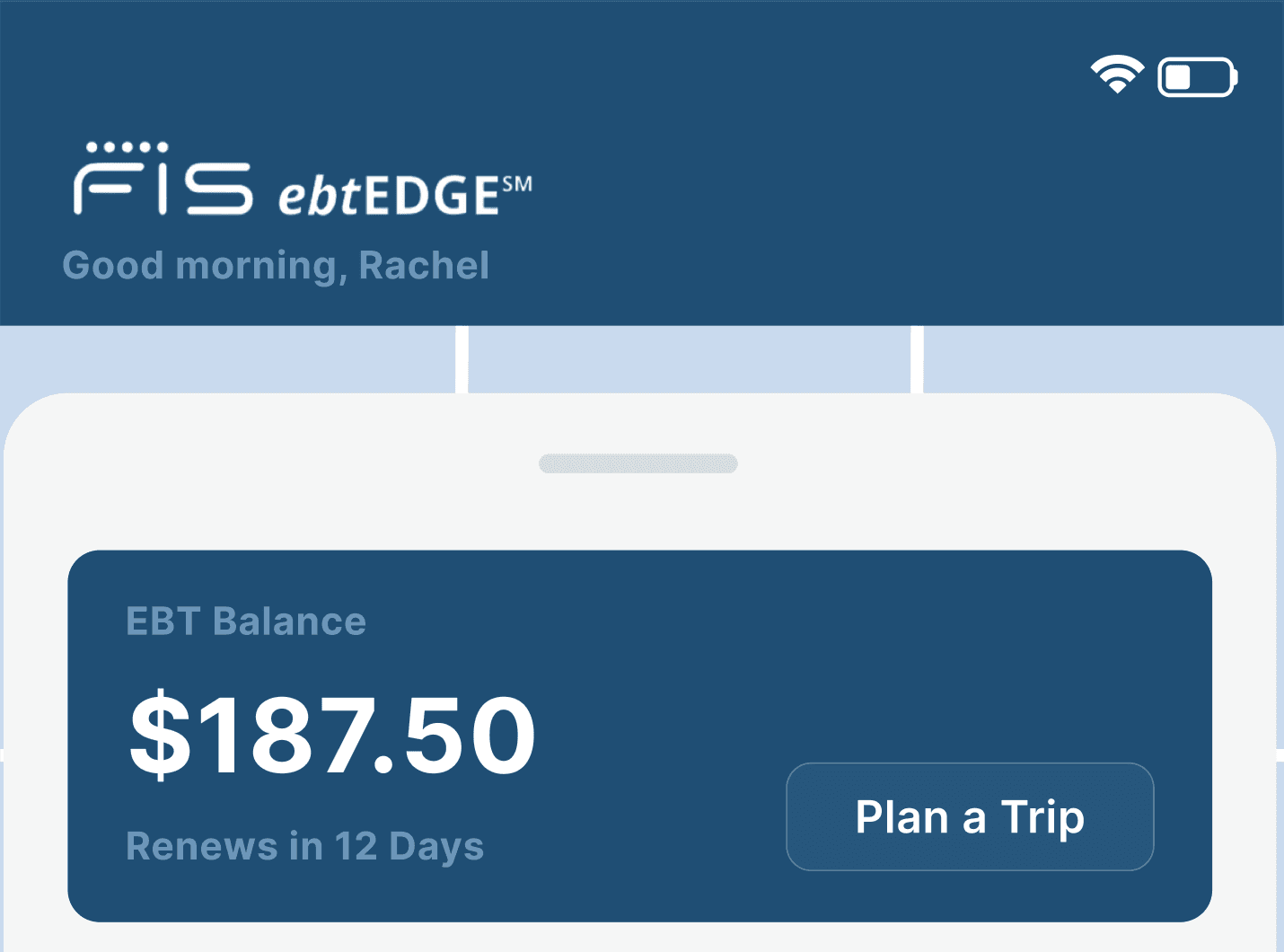
We began with combining the map and the homepage to marry both user information as well as store information. Most importantly, the user's balance is immediately visible. From here user's can Plan a Trip which allows them to create their grocery list.

Store Suggestions
After users create their list, they arrive at this screen where stores are suggested to them based on their location as well as list contents. Once they select a store, it brings them to the next page.

Checklist
In this more detailed view, users can assess if they would like to proceed with the suggested store based on what appears to be avaliable from their list. In addition to general store information like hours, distance, and transit time estimate.
Usability Testing
Initial user thoughts
Our testing revealed a need for EBT budgeting and store information that was greater than a need for navigation. We found that even when offering an in-app navigation feature, users preferred to outsource this to apps that they were more familiar with, such as Apple Maps. The users cited features like item search and grocery list as more beneficial for their needs.
We had hypothesized, based on our initial research, that saving time for those without stable transportation via time allotment would benefit users most. However, after reviewing our findings from our user testing, we believe the financial planning feature is a need that should remain front and center.
Improvements
Three resounding areas for improvement stood out
Store information
Users responded positively to store information, but questioned how nearby stores and 'best matches' were determined. Clearer distance estimations in addition to grocery store details must be added strengthen the users connection between benefits and the world.
Clearer visual cues
The checklist was misread by participants because it was not clear what the check icon was supposed to signify. Quantities of items was not able to be adjusted either which made the functionality of the checklist even more confusing.
Stronger financial focus
The estimated spending indicator should be more comprehensive and use clearer language. Neither could understand if the number displayed was showing the spent, remaining, or total.
High fidelity

Homepage
We took user feedback and included buttons to take the user to previous trips. This provides incentive for users to continue use of the app, even after they've grown.

Grocery List
Users found labels to be unclear and desired the agency to exit out of nearby stores and transportation tab to look for a store themselves. We included information pop-ups to clear up any ambiguity, and ETA as well as distance to destination.

Checklist
The balance bar is more comprehensive and uses clearer language, users can see their current balance, the amount they will spend, and what they’ll have left. In addition to more detailed store information provided such as store hours, location, distance, relevance, and stock.
What I learned
Users find problems, not solutions
Users are experts in their experiences, but not necessarily in product design. Effective solutions come from translating user pain points into thoughtful design decisions.
Constraints reveal opportunities
Limited transportation, budgets, and time significantly shape the grocery shopping experience. Understanding these constraints led to solutions that were more practical, accessible, and impactful for users.